Growing together, from day one.
A calm, shared baby-care record.
App Store Coming soon
See how it works
Who fed last? Which side? How long asleep?
EverBud keeps one calm record, so the next person knows.
Log it with one thumb.
Feeds, diapers and sleep go into one timeline, a tap or two each.
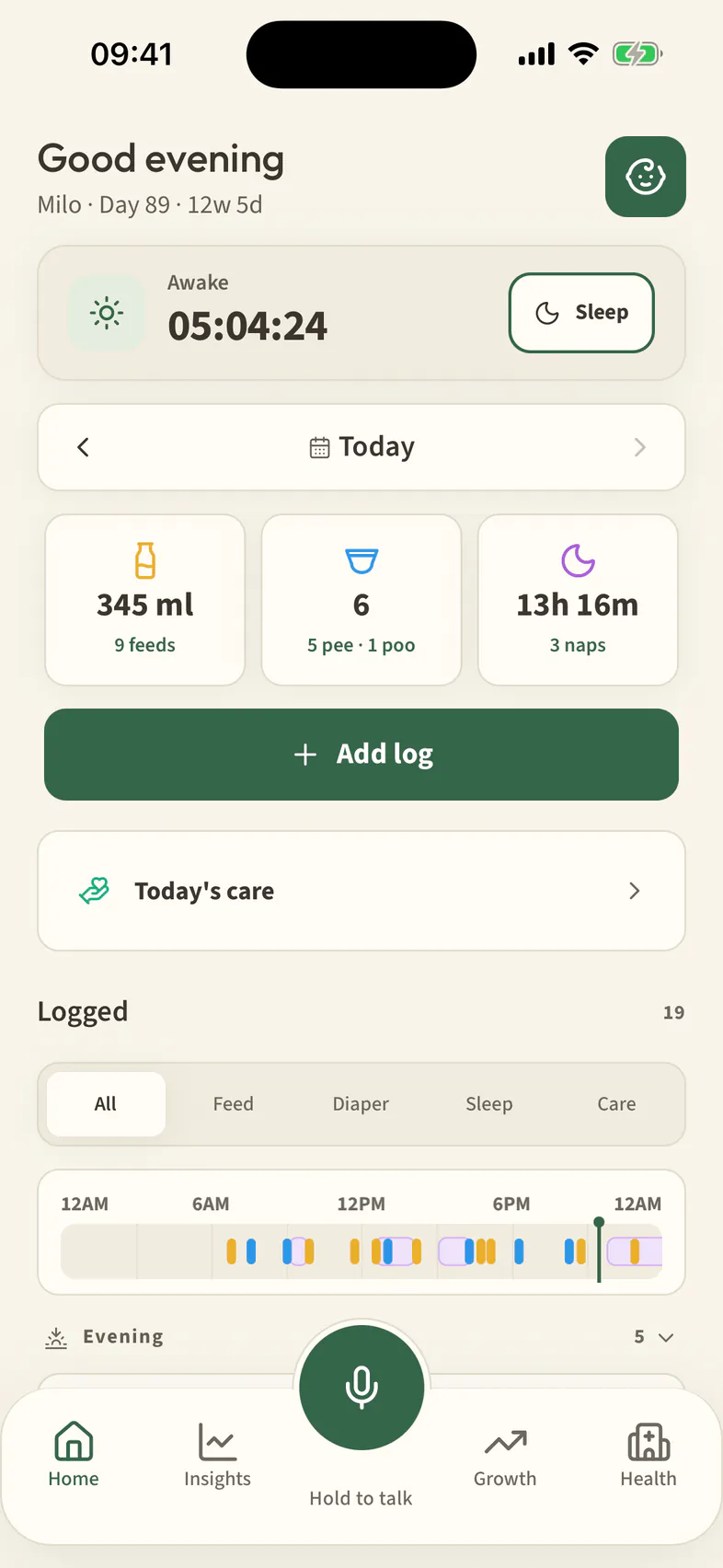
Tap Add log
Add log sits on Home, under today’s totals.
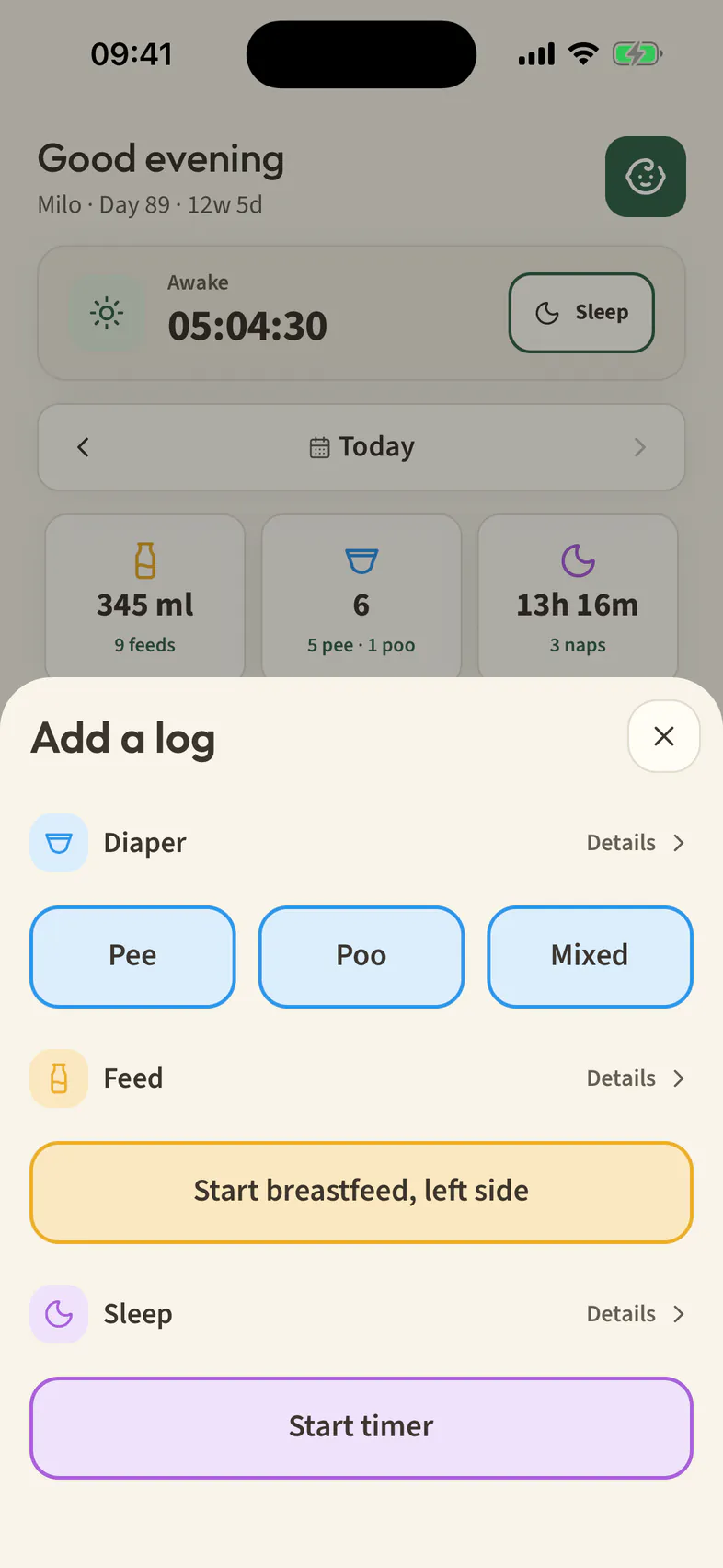
Pick Feed, Diaper or Sleep
Diaper, feed or sleep timer, each one tap away.
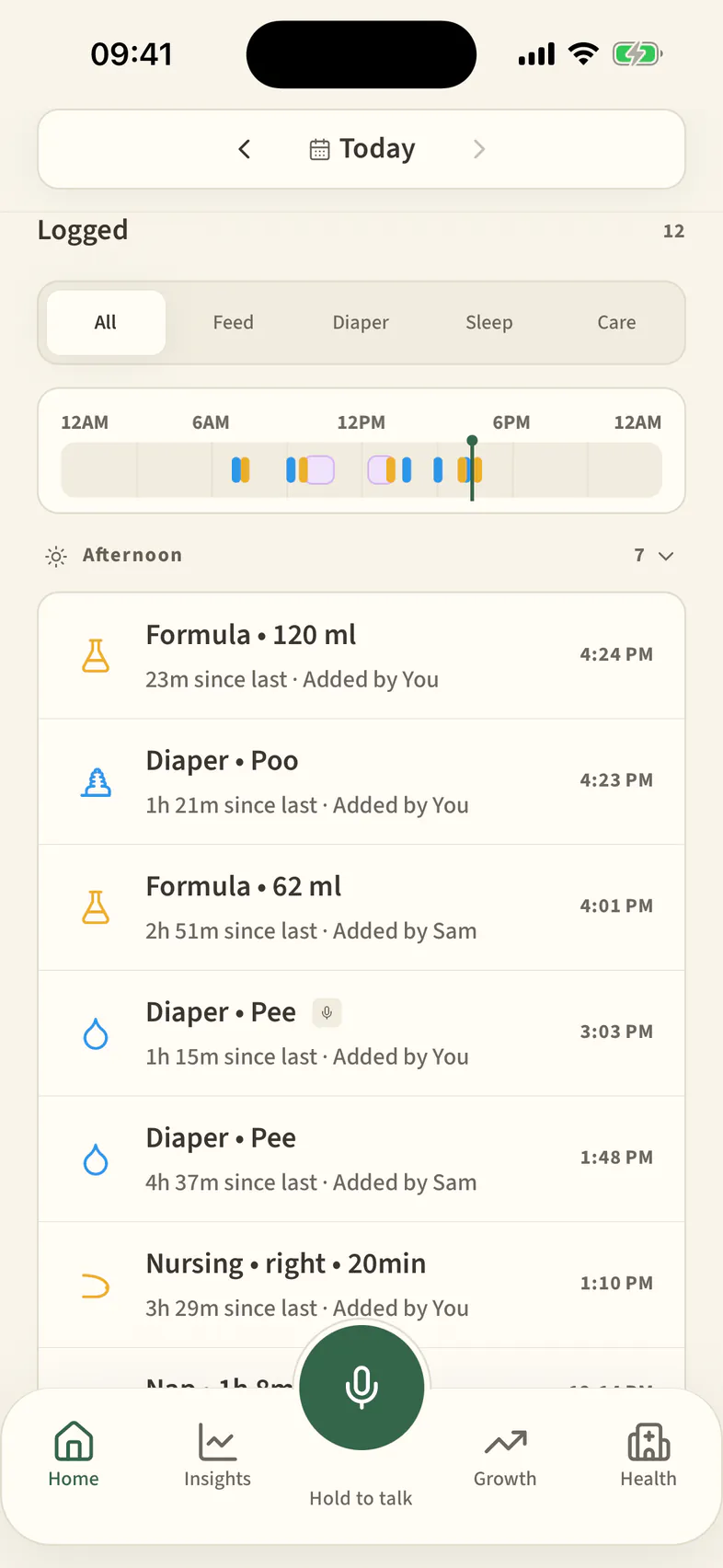
Saved · 120 ml
The bottle lands in Milo’s journey, with who added it.


Hold the mic. Say what happened.
On a supported iPhone, EverBud turns what you say into a draft you review before anything saves. In English or Simplified Chinese.
Hold to talk
Milo had a 120 ml bottle and a wet diaper.
DraftReview before saving
- Formula · 120 ml3:10 AM
- Diaper · Pee3:10 AM
Nothing saves until you confirm.

Measurements you enter, in one place.
Height, weight and notes over time. No scores.


Private by design.
Without an account
Manual recordkeeping can begin on your device without an account.
Voice
Voice never sends your voice or the words to EverBud’s servers or an AI service, and EverBud keeps no recording.
This website
These pages do not set cookies, run analytics or advertising scripts, load remote fonts, or contain forms or tracking pixels.
App availability
EverBud isn’t on the App Store yet. This website provides product information and support; it does not create accounts or upload care records.
Common questions
Is EverBud medical advice?
No.
EverBud is a recordkeeping tool. It does not diagnose, treat, prescribe, calculate medication doses or provide emergency monitoring. Check entries for accuracy and consult a qualified clinician for medical decisions.
Who can see my records?
Without an account, the app stores your records on your device. Family cloud services, where caregivers see a shared family’s records, have not launched.
Does Voice record me?
No. EverBud asks iOS to turn what you say into text on your iPhone, and keeps no recording.
Which languages does EverBud support?
The app and Voice work in English and Simplified Chinese. This website is also available in eight more languages.
Can I delete my records?
Yes. Records on your device stay until you delete or clear them. Clearing them doesn’t delete an account; account deletion starts inside the app.
Need a hand?
Read the support page for help protecting and finding your records, or contact support@aumenza.ai.
Growing together, from day one.
App Store Coming soon